Web Security 10 min read
Burp Suite Complete Guide: Tools, Setup & Workflow
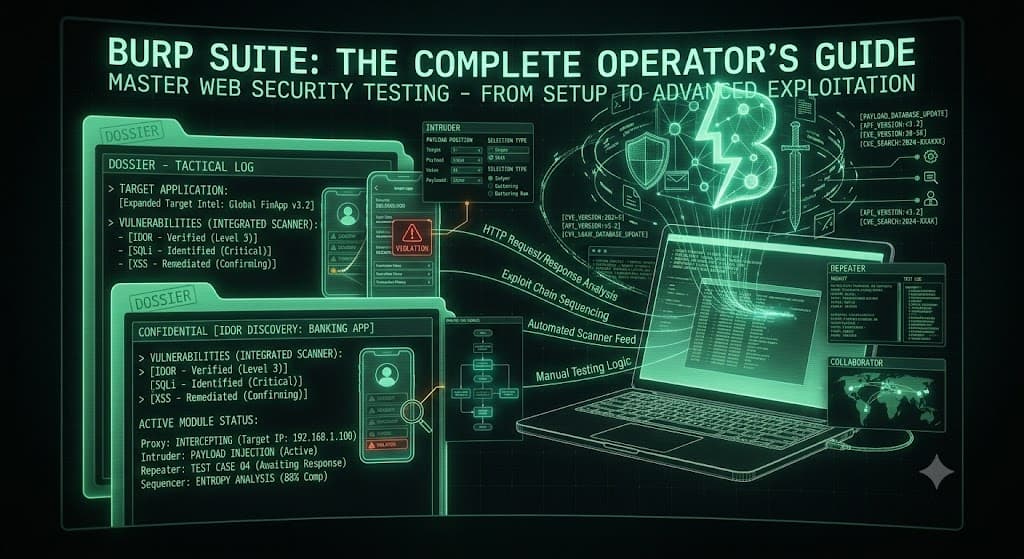
Burp Suite: The Complete Operator's Guide
Burp Suite is an intercepting HTTP/HTTPS proxy platform from PortSwigger that sits between your browser and a target web application, capturing every request and response so you can inspect, modify, replay, and automate attacks against them. It is the de-facto standard toolkit for web application penetration testing, bug bounty hunting, and manual DAST. This guide covers what each component does, why it exists, when you reach for it, and how you drive it — with copy-paste commands and configuration that work on a real engagement.
WHAT BURP SUITE IS — AND THE THREE EDITIONS
Burp is not one tool; it is a suite of interoperating tools wired to a shared proxy history. Every request that passes through the proxy becomes available to Repeater, Intruder, Scanner, and every installed extension. That shared state is the entire point: you intercept once, then pivot the same request into any tool without leaving the app.
There are three editions, and choosing wrong wastes either money or time.
| Edition | Price (2026) | Automated Scanner | Intruder | Best For |
|---|---|---|---|---|
| Community | Free | None | Throttled (rate-limited) | Learning, manual-only recon, CTFs |
| Professional | ~$475/user/year | Full active + passive | Unthrottled | Pentesters, bug bounty, individual AppSec |
| DAST (formerly Enterprise, renamed April 2025) | Custom quote | Scheduled/CI-driven | N/A (automation-first) | Teams scanning large app portfolios in CI/CD |
Why the edition gap matters: Community deliberately throttles Intruder to the point of being impractical for real fuzzing, and ships no automated scanner. For any serious offensive work you need Professional. DAST is a different product entirely — it runs headless from Docker inside Jenkins, GitHub Actions, GitLab CI, Azure DevOps, or TeamCity for continuous coverage, and now ships with the Burp AI assistant that generates attack ideas and guides testing in real time.
When to pick each: Learning or hobby → Community. You are one person finding bugs → Professional. You need scheduled scans across 10+ apps feeding a ticketing workflow → DAST.
INITIAL SETUP — PROXY, BROWSER, AND CA CERTIFICATE
Nothing in Burp works until traffic actually flows through it. The proxy listener defaults to 127.0.0.1:8080.
The Architectural Blueprint
text
Browser ──HTTP/S──▶ Burp Proxy (127.0.0.1:8080) ──▶ Target Server
   ▲                        │
   │                        ├──▶ Proxy History (shared state)
   └────response────────────┤        │
                            ├──▶ Repeater / Intruder / Scanner
                            └──▶ Collaborator (out-of-band)
Option A — Burp's Embedded Browser (fastest)
Burp ships a pre-configured Chromium under Proxy → Intercept → Open Browser. Proxy and CA certificate are already wired. This is the zero-config path and the correct default for most testing.
Option B — Your Own Browser + FoxyProxy
Point your browser at the listener, then install Burp's CA certificate so TLS interception doesn't throw certificate errors.
curl
# 1. Confirm the proxy listener is up
curl -x http://127.0.0.1:8080 http://example.com -v

# 2. Export Burp's CA cert (with Burp running) and inspect it
curl -x http://127.0.0.1:8080 http://burpsuite/cert -o burp_ca.der
openssl x509 -inform der -in burp_ca.der -noout -subject -issuer
In the browser, browse to http://burp and download the CA certificate, then import it under the browser/OS trust store as a trusted root certificate authority. On Kali Linux, Burp is pre-installed and the launcher handles most of this.
Why the CA cert step is non-negotiable: Burp performs TLS interception by generating a per-host leaf certificate signed by its own CA. Without trusting that CA, HTTPS pages fail to load and you see nothing.
Verify Interception End-to-End
curl
# Toggle "Intercept is on" under Proxy → Intercept, then:
curl -x http://127.0.0.1:8080 https://example.com --cacert burp_ca.pem -v
# The request should hang in Burp until you forward it.
THE CORE MANUAL TOOLS
1. Proxy — The Nerve Center
What: Captures every request/response, including WebSocket messages, and lets you pause traffic mid-flight to edit it.
Why: Understanding an application's real behavior means seeing the raw HTTP it speaks, not the JavaScript abstraction the browser renders.
When: Always on. It is the entry point for every other tool.
How — Match and Replace (automate repetitive edits): Under Proxy → Match and replace, rewrite headers or bodies on the fly. Example rule to force a mobile user-agent and strip a security header for testing:
HTML
Type: Request header
Match:   ^User-Agent.*$
Replace: User-Agent: Mozilla/5.0 (Linux; Android 14) AppleWebKit/537.36

Type: Response header
Match:   ^Content-Security-Policy.*$
Replace: (leave empty to strip)
2. Repeater — Manual Request Surgery
What: Send a single request repeatedly, tweaking one parameter at a time, and read the response side-by-side.
Why: Vulnerability discovery is hypothesis testing. Change id=1 to id=2, resend, observe. Repeater is where you confirm IDOR, injection, and logic flaws by hand.
When: Immediately after you spot an interesting request in Proxy history. Right-click → Send to Repeater (Ctrl+R).
How — IDOR probe:
http
GET /api/v2/account/1024/statement HTTP/2
Host: bank.target.tld
Authorization: Bearer eyJhbGciOi...
Cookie: session=8f3c...

# Change 1024 → 1025, resend. If you get another user's data
# without a 403, that's a broken-object-level-authorization finding.
3. Intruder — Automated Payload Delivery
What: Takes a request template, marks injection positions with §, and iterates payloads through them. Four attack types define how payloads map to positions.
Why: Fuzzing, brute-forcing, enumeration, and parameter mining are volume tasks no human should do by hand.
When: After Repeater proves a manual attack works and you need to scale it across a payload list.
The four attack types — knowing which to pick is the whole skill:
| Attack Type | Payload Sets | Position Behavior | Classic Use Case |
|---|---|---|---|
| Sniper | 1 | Cycles one payload set through each marked position, one at a time | Single-parameter fuzzing, testing one field |
| Battering Ram | 1 | Same payload into all positions simultaneously | Same value needed in multiple spots |
| Pitchfork | Multiple (parallel) | Iterates sets in lockstep (1st with 1st, 2nd with 2nd) | Paired username:password lists |
| Cluster Bomb | Multiple (product) | Tries every combination of every set | Credential brute-force across all user × pass pairs |
How — Cluster Bomb credential spray:
http
POST /login HTTP/2
Host: target.tld
Content-Type: application/x-www-form-urlencoded

username=§admin§&password=§Password1§
Set payload position 1 to a username wordlist, position 2 to a password wordlist, run Cluster Bomb, then sort results by response length or status code to spot the successful login that breaks the pattern.
Reality check: Even in Professional, Intruder is slower than dedicated fuzzers like
ffuforwfuzzfor high-volume brute force. For massive wordlists, step outside Burp; for surgical, session-aware fuzzing, Intruder wins.
4. Sequencer — Randomness Analysis
What: Statistically analyzes the entropy of tokens (session IDs, CSRF tokens, password-reset tokens).
Why: Predictable tokens are a session-hijacking vulnerability. Sequencer runs FIPS entropy tests to quantify how guessable they are.
When: Any time you find a security-relevant token and need to prove it's weak. Capture a request that issues the token, send to Sequencer, capture 10,000+ samples, analyze.
5. Decoder & Comparer — The Utility Belt
Decoder: Encode/decode URL, Base64, HTML entities, hex, and hash on the fly. Comparer: Word- or byte-level diff between two responses — invaluable for spotting the one-character difference between a valid and invalid login response, or confirming a blind injection changed output.
bash
# Decoder mirror-check on the command line:
echo -n 'YWRtaW46YWRtaW4=' | base64 -d   # -> admin:admin
THE AUTOMATED ENGINE — SCANNER (PROFESSIONAL / DAST)
What: Burp's vulnerability scanner combines passive analysis (inspecting traffic already flowing through the proxy) with active scanning (sending crafted probes) to detect OWASP Top 10 and beyond.
Why: Coverage. A human misses reflected parameters and missing security headers; the scanner catches the mechanical, high-volume checks so you spend your brain on business logic.
When: After manual recon maps the attack surface. Never fire a blind full-audit scan at a production banking app without scope and authorization — it is intrusive and can corrupt state.
How — scoped, safe scanning:
- Define Target → Scope with an include regex so the crawler never wanders off-target.
- Right-click the target host → Scan → choose Crawl and Audit or Audit selected items for a tighter, request-level scan.
- Configure authenticated scanning with recorded login sequences (form-based, OAuth, header-based, or scripted) so the scanner tests the logged-in surface, not just the front door.
ruby
Scope include (regex):  ^https?://([a-z0-9.-]+\.)?target\.tld/.*$
Scope exclude:          .*/logout.*   |   .*/admin/delete.*
BURP COLLABORATOR — CATCHING BLIND & OUT-OF-BAND BUGS
What: A PortSwigger-hosted (or self-hosted) server that generates unique subdomains. When a target makes a DNS/HTTP/SMTP callback to one of those subdomains, Burp records it and ties it back to the payload that triggered it.
Why: Blind vulnerabilities produce no visible response. Blind SSRF, blind XSS, blind SQLi, and out-of-band command injection are invisible in-band — Collaborator is how you prove they fired.
When: Any suspected server-side request forgery, XXE, or injection where the response gives you nothing.
How — blind SSRF confirmation:
http
POST /api/fetch-avatar HTTP/2
Host: target.tld
Content-Type: application/json

{"image_url":"http://abc123xyz.oastify.com/ssrf"}
If your Collaborator dashboard logs a DNS lookup or HTTP hit from the target's egress IP for abc123xyz.oastify.com, the SSRF is confirmed — even though the API returned a generic 200 OK.
EXTENSIBILITY — THE BAPP STORE & CUSTOM EXTENSIONS
What: The BApp Store ships 500+ vetted extensions; you can also write your own against the Montoya API (Java) or use Python via Jython.
Why: Native Burp can't test everything. Extensions add authorization testing, JWT tampering, out-of-band scanner checks, and custom payload logic.
When: Reach for extensions when a testing pattern repeats across engagements. Essential picks:
| Extension | Purpose |
|---|---|
| Autorize | Automated access-control / authorization testing (BOLA at scale) |
| JWT Editor | Decode, tamper, and re-sign JSON Web Tokens |
| Logger++ | Rich, filterable logging across all Burp tools |
| Turbo Intruder | High-speed, scriptable request engine for race conditions |
| ActiveScan++ | Extra active-scan checks beyond the built-in engine |
| Param Miner | Discover hidden/unlinked parameters and headers |
How — minimal Montoya API extension skeleton:
java
package com.howitbreaks;

import burp.api.montoya.BurpExtension;
import burp.api.montoya.MontoyaApi;
import burp.api.montoya.http.handler.*;

public class TagInterestingResponses implements BurpExtension {
    @Override
    public void initialize(MontoyaApi api) {
        api.extension().setName("Tag Interesting Responses");
        api.http().registerHttpHandler(new HttpHandler() {
            @Override
            public RequestToBeSentAction handleHttpRequestToBeSent(HttpRequestToBeSent req) {
                return RequestToBeSentAction.continueWith(req);
            }
            @Override
            public ResponseReceivedAction handleHttpResponseReceived(HttpResponseReceived res) {
                if (res.bodyToString().contains("SQL syntax")) {
                    api.logging().logToOutput("Possible SQLi error at: " + res.initiatingRequest().url());
                }
                return ResponseReceivedAction.continueWith(res);
            }
        });
    }
}
CI/CD AUTOMATION — BURP SUITE DAST + BCHECKS
What: DAST runs headless scans from Docker inside your pipeline; BChecks are custom, YAML-like detection rules you author to extend the scanner with organization-specific logic.
Why: Shift-left. Catch regressions on every merge instead of once a quarter.
When: You have a mature AppSec function and want continuous coverage feeding a ticketing system.
How — GitHub Actions DAST scan step:
yaml
name: DAST Scan
on: [push]
jobs:
  burp-dast:
    runs-on: ubuntu-latest
    steps:
      - name: Run Burp Suite DAST scan
        run: |
          docker run --rm \
            -e BURP_ENTERPRISE_SERVER_URL="${{ secrets.BURP_URL }}" \
            -e BURP_ENTERPRISE_API_KEY="${{ secrets.BURP_API_KEY }}" \
            public.ecr.aws/portswigger/enterprise-scan-container:latest \
            --site-id 12 --scan-config "Audit checks - critical issues"
How — a custom BCheck (detect a leaked internal header):
yaml
metadata:
    language: v2-beta
    name: "Internal debug header exposed"
    description: "Flags responses leaking X-Debug-Token"
    author: "howitbreaks"

run for each:
    potential_header = "X-Debug-Token"

given response then
    if {potential_header} in {response.headers} then
        report issue:
            severity: medium
            confidence: firm
            detail: "Application leaks internal debug header."
            remediation: "Strip X-Debug-Token at the reverse proxy before egress."
        end if
VERDICT & OPERATOR CHECKLIST
Burp Suite's power is the shared-state pivot: intercept once, then drive the same request through Repeater for confirmation, Intruder for scale, Scanner for coverage, and Collaborator for the blind stuff — without ever re-capturing traffic. Community teaches you the mechanics; Professional makes you dangerous; DAST makes you continuous.
| Audit Parameter | Target Condition | Verification Protocol |
|---|---|---|
| Proxy interception | Traffic flows through 127.0.0.1:8080 | curl -x http://127.0.0.1:8080 https://target --cacert burp_ca.pem -v |
| CA trust | Burp CA imported as trusted root | HTTPS pages load with no cert warning in proxied browser |
| Scope discipline | Include/exclude regex set before any scan | Review Target → Scope; confirm out-of-scope hosts are dropped |
| Authenticated coverage | Login sequence recorded for scanner | Scanner session shows requests to post-auth endpoints |
| Intruder attack type | Correct type for the payload topology | Sniper=1 field, Cluster Bomb=full brute-force matrix |
| Out-of-band detection | Collaborator live for blind bugs | Poll dashboard; confirm DNS/HTTP callback logged |
| Authorization testing | Autorize configured with low-priv session | Re-run high-priv requests as low-priv user; expect 403 |
| Automation | DAST wired into CI with scoped config | Pipeline run produces scan report artifact per merge |
Author's note: only test systems you are explicitly authorized to assess. Unauthorized scanning of applications you don't own is illegal in most jurisdictions.
Share
Comments (0)
No comments yet. Be the first to share your thoughts.